

Top Picks, Years, and Buying Guide
If you spend time on the road, Android Auto can transform your driving experience with simple voice commands, turn by turn navigation from Google Maps or Waze, hands free calls and texts, and access to your favorite music and podcast apps. This guide highlights the best used cars with Android Auto, the model years and trims to target, and how to verify compatibility before you buy. You will find smart options across sedans, SUVs, minivans, and trucks from brands like Honda, Toyota, Hyundai, Kia, Chevrolet, Ford, Mazda, Subaru, Volkswagen, and more. Explore examples such as the Honda Civic and Accord, Toyota Camry and Corolla, Hyundai Elantra and Sonata, Kia Forte and K5, Chevrolet Equinox and Malibu, Ford Escape and F 150, Mazda3 and CX 5, Subaru Crosstrek and Outback, and Volkswagen Jetta and Tiguan. Ready to compare specs and features side by side and research trim details that matter most for Android Auto.
Browse current options on used inventory, learn how Android Auto differs by year, and discover which models offer wireless connections for a cord free commute.
Every model featured here is selected with connectivity, value, and long term ownership in mind. Use this resource to pinpoint the right years and trims, then review listings on used-inventory. For added clarity, check research-page-template, payment-options, applications, and schedule-service. If you have questions about availability or feature verification, visit about-us, locations, or contact-us for local guidance.
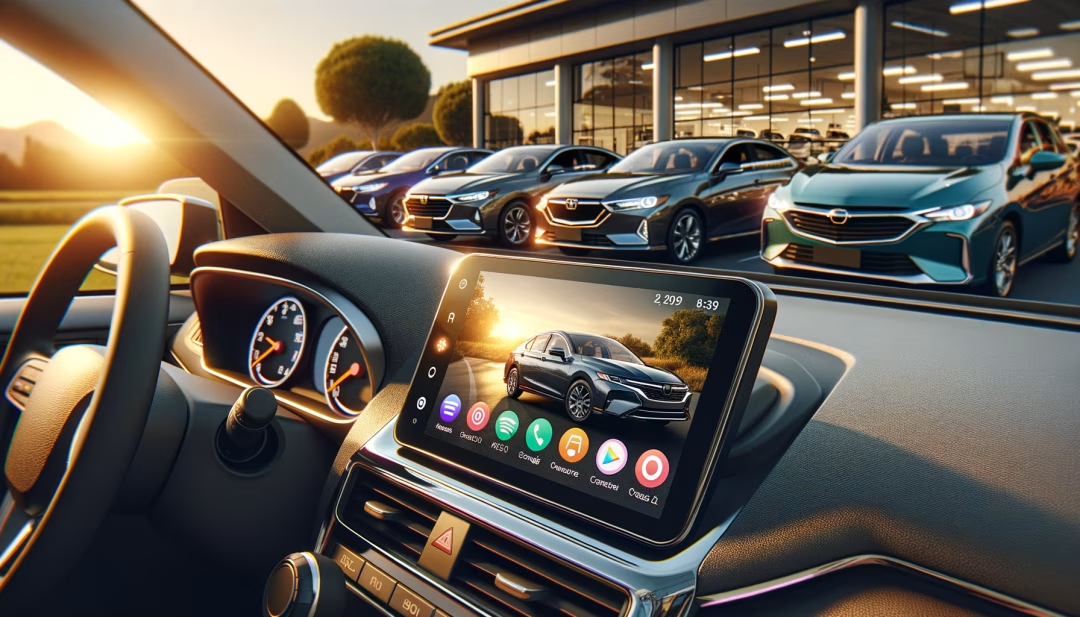
Why choose a used car with Android Auto
Android Auto streamlines your drive by bringing your phone experience into the vehicle’s display in a safer, more focused way. Voice controlled navigation, large touch targets, and Do Not Disturb mode help reduce distractions while keeping core features close at hand. Many used models now include Android Auto standard, which means you can enjoy premium tech without paying new car prices. Pair this with strong gas mileage, low maintenance ownership, and proven reliability and you have a compelling value proposition for commuters, families, and first time buyers.
How Android Auto works in used cars
There are two connection types. Most 2016 to 2020 models use a wired USB connection. Newer vehicles may offer wireless Android Auto, which connects through Bluetooth and Wi Fi for a seamless start up. In both cases, your compatible Android phone runs the apps while the car’s screen and controls manage the interface. Core functions include Google Maps, Waze, YouTube Music, Spotify, Audible, phone calls, messaging with voice dictation, and Google Assistant for hands free control.
- Wired connection is common on 2016 to 2020 models and tends to be most stable
- Wireless Android Auto appears more often in 2021 and newer vehicles, often on mid to high trims
- Check infotainment version and trim equipment to confirm feature availability
Top used cars with Android Auto by category
Below are strong, widely available used choices. Always verify trims and infotainment package details on a specific vehicle. Use the research-page-template and used-inventory to compare live listings in your area.
Compact and midsize sedans
- Honda Civic 2016 to 2021 on EX or higher with Display Audio
- Honda Accord 2018 to 2020 most trims with Display Audio
- Toyota Camry 2020 to 2022 most trims include Android Auto
- Toyota Corolla 2020 to 2022 with Audio Plus or higher
- Hyundai Elantra 2017 to 2020 wide availability across trims
- Hyundai Sonata 2016 to 2020 many trims, some earlier cars added via update
- Kia Forte 2017 to 2021 and Kia K5 2021 to 2022
- Chevrolet Malibu 2016 to 2020 with Chevrolet MyLink or Infotainment 3
Compact and midsize SUVs
- Mazda CX 5 2019 to 2021 factory, 2016 to 2018 may have retrofit kit installed
- Subaru Crosstrek 2018 to 2021 and Outback 2018 to 2020 with STARLINK
- Volkswagen Tiguan 2017 to 2020 with App Connect
- Chevrolet Equinox 2016 to 2020 with MyLink or Infotainment 3
- Hyundai Tucson 2017 to 2021 and Santa Fe 2017 to 2020
- Toyota RAV4 2020 to 2022 includes Android Auto
Trucks and minivans
- Ford F 150 2017 to 2020 with Sync 3 and appropriate screen size
- Chevrolet Silverado 2016 to 2020 with MyLink or Infotainment 3
- Ram 1500 2018 to 2020 with Uconnect 4 or newer
- Honda Odyssey 2018 to 2020 and Chrysler Pacifica 2017 to 2020
Best options by budget
Under 15000
Look for compact sedans and earlier crossovers that include Android Auto without stretching your budget. Consider Hyundai Elantra 2017 to 2019, Kia Forte 2017 to 2019, Chevrolet Cruze 2016 to 2019, Volkswagen Jetta 2016 to 2018, and Ford Focus 2017 to 2018 with Sync 3. For an SUV, evaluate Chevrolet Trax 2017 to 2019 or Hyundai Tucson 2017 to 2018. Compare fuel economy on used-cars-with-high-mpg and scan best-used-sedans or best-used-suvs for more picks.
Under 20000
This range opens up Civic 2017 to 2020 EX, Mazda3 2019 to 2020, Subaru Crosstrek 2018 to 2019, and Chevrolet Equinox 2018 to 2019 with solid safety and connectivity. If you log heavy miles, cross check total ownership cost on used-cars-with-lowest-cost-of-ownership or best-used-commuter-cars to balance tech and reliability.
Under 25000
You will find newer midsize sedans and crossovers with refined driver aids and, in some cases, wireless Android Auto. Shortlist Toyota Camry 2020 to 2021, Honda Accord 2018 to 2020, Mazda CX 5 2019 to 2021, Subaru Outback 2019 to 2020, and Kia K5 2021. If premium features matter, browse best-used-luxury-cars and best-used-luxury-suvs for upscale cabins that still hit strong value marks.
Wireless Android Auto overview
Wireless Android Auto has grown quickly in 2021 and newer vehicles. Availability varies by trim and infotainment option. The most consistent mainstream options appear in 2021 to 2023 Kia and Hyundai models on mid to upper trims, many Volkswagens with updated App Connect in 2021 and newer, and select GM and Ford vehicles from 2021 onward. If wireless is important to you, filter for 2021 plus model years on used-inventory and verify the specific trim’s infotainment listing. If a vehicle offers wired only, an approved wireless adapter can be a bridge, but test for stability before you commit.
How to verify Android Auto on a specific vehicle
- Infotainment screen: Look for Android Auto or Projection in settings
- Trim and package: Identify the audio system listed on the window sticker or vehicle description
- Test with your phone: Connect via USB and confirm the interface launches
- VIN feature lookup: Many brands list infotainment capability by VIN
Brand by brand notes
- Toyota added Android Auto widely for 2020 model year on Corolla, Camry, RAV4, and others
- Honda Civic adopted Android Auto on 2016 plus trims with Display Audio, Accord 2018 plus
- Hyundai and Kia offered Android Auto earlier, with some 2015 to 2016 vehicles enabled via software updates
- Chevrolet and GMC integrated Android Auto across many 2016 plus models with MyLink
- Ford Sync 3 gained Android Auto on most 2017 plus models, with some 2016 units updated
- Mazda enabled Android Auto factory on many 2019 plus vehicles and offered retrofit kits on earlier MZD Connect cars
- Subaru STARLINK introduced Android Auto on many 2018 plus models
Troubleshooting Android Auto
If Android Auto does not connect, start with the basics. Use a high quality data capable USB cable shorter than three feet, ensure your phone’s Android version and Google Play services are current, and confirm Android Auto permissions are allowed. For wireless issues, forget and re pair Bluetooth, make sure Wi Fi is enabled on your phone, and check the vehicle’s infotainment software version. Some models require a software update available during service visits. If you suspect hardware or setup concerns, a quick appointment through schedule-service can help.
Compare Android Auto with Apple CarPlay
Many vehicles that include Android Auto also support Apple CarPlay. If you have mixed device users in the household, prioritize infotainment systems that support both. See best-used-cars-with-apple-carplay for a parallel overview that mirrors this guide and helps ensure the right fit no matter which smartphone you carry.
Related research and ownership resources
Beyond in car tech, total ownership value matters. Use the resources below to cross check safety ratings, reliability, and budget. Whether you are comparing trims or preparing financing, these pages can streamline your next steps.
- used-inventory browse current vehicles that note Android Auto in features
- best-used-commuter-cars find efficient daily drivers with modern tech
- used-cars-with-high-mpg compare fuel economy ratings
- how-to-buy-a-used-car step by step guide from shortlist to delivery
- used-car-buying-checklist itemize inspection and feature verification
- how-to-finance-a-used-car understand terms, rates, and approvals
Buying checklist for Android Auto vehicles
- Confirm Android Auto in the infotainment settings on the exact car you are considering
- Test with your phone and favorite navigation and music apps
- Check for wireless compatibility if that is a priority feature for your commute
- Review trim level, screen size, and audio package names to avoid base systems without smartphone integration
- Ask for infotainment software version and update history, especially on 2016 to 2018 models
Helpful links
Frequently asked questions about used cars with Android Auto
Next steps
Explore real time availability on used-inventory, compare tech across best-used-sedans and best-used-suvs, estimate your budget on payment-options and applications, and plan ongoing maintenance through schedule-service. If you need assistance with feature verification, the team on about-us, locations, and contact-us can help you select the right trim and infotainment package for Android Auto.
For policies and customer protections, review privacy-policy, terms, visitor-agreement, and customer-survey. If you prefer to see historical examples, browse sold-inventory for recently purchased Android Auto equipped vehicles.
